
Seven lessons on a real robot
- Robot Lab
- ABB
- Robotics
- Education
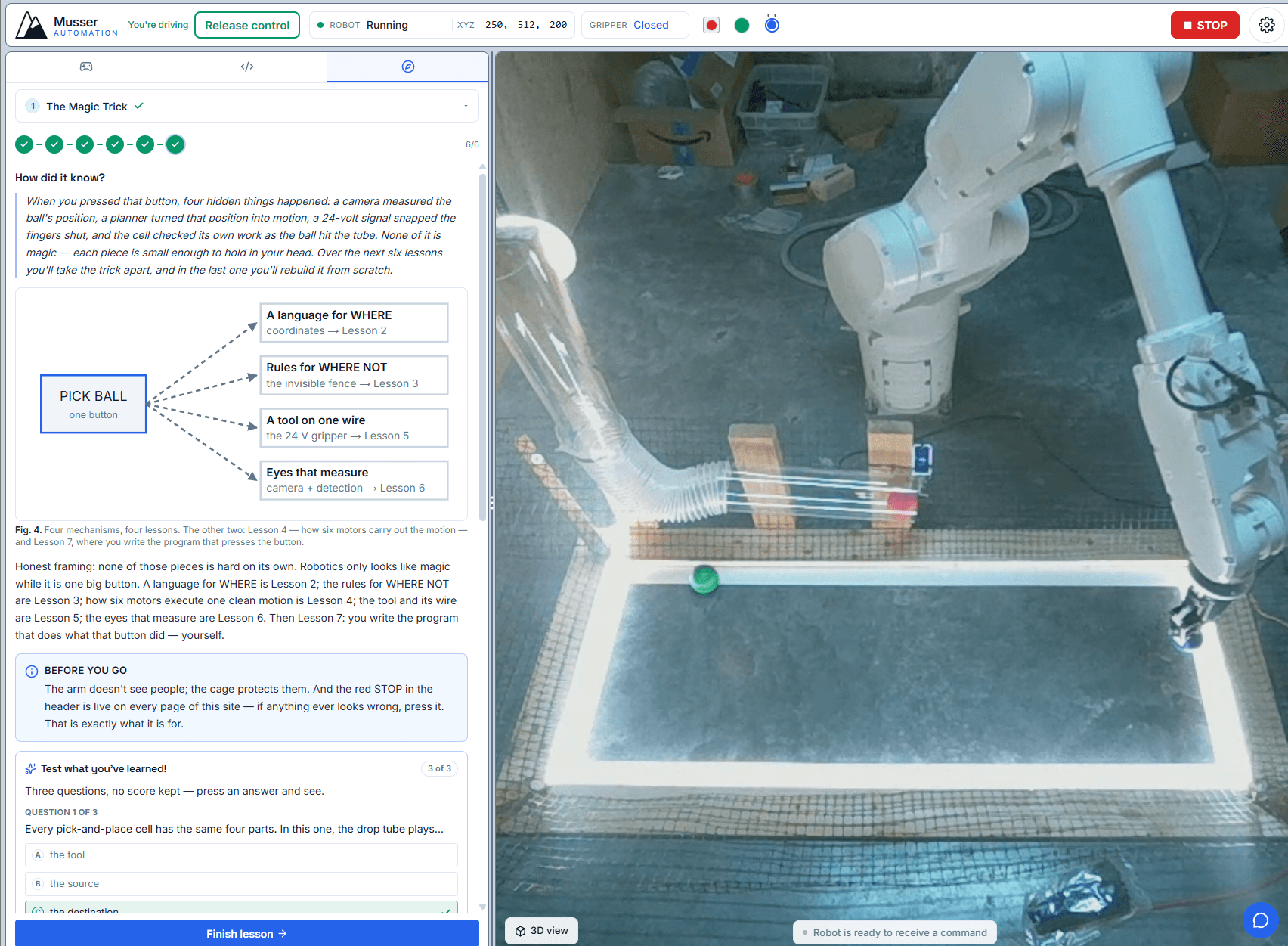
Seven guided lessons are now live in the robot lab: you drive a real ABB arm from your browser and learn how industrial robots actually work — coordinates, keep-out zones, joint space, grippers, machine vision. No install, no simulator, nothing to set up.
If you would rather just play, that has not gone anywhere. The playground is still open — take control, drive the arm, chase the challenges, no lesson required.
The arc is the whole idea
Lesson 1 hands you a single button that finds a ball, picks it up and delivers it. It works, and it explains nothing — deliberately. Lessons 2 through 6 take that button apart. Lesson 7 gives you a script editor and asks you to rebuild Lesson 1 yourself.
| # | Lesson | What it teaches |
|---|---|---|
| 1 | The Magic Trick | One high-level command runs a camera-verified pick-and-place cycle |
| 2 | Position: Speaking in Millimeters | User-frame XYZ, and predicting the direction before you move |
| 3 | The Invisible Fence | Working volume and keep-out zone: a refused command, and an auto-reroute |
| 4 | Six Motors, One Brain | Joint space vs Cartesian — one straight line needs three or more coordinated joints |
| 5 | The Tool at the End | A manual pick, by hand, plus both 24 V peripherals |
| 6 | Eyes for the Machine | The camera to coordinates to action loop, on a live-detected target |
| 7 | The Program | Teach positions, author a script, run an autonomous vision-guided cycle |
You cannot click your way through
This is the part I care about most. 27 of the 41 pages are gated on the machine agreeing with you. A page advances when the 10 Hz state stream says the gripper really did arrive within 20 mm of the position you typed, or when the camera confirms a ball actually landed in the tube — not when you press Next. A quiz can be guessed. A robot cannot.
Under the hood each gated page carries a rule that is evaluated against the live state stream plus the command and vision event feed:
arriveRule— the gripper reaches the commanded point within 20 mm and holds it for a second.pickRule— after a pick is acknowledged, the gripped colour matches the one you asked for.dropRule— the camera confirms a ball settled in the drop tube.refusalRule— the boundary lessons are the interesting inversion: they only pass when the controller refuses you.sequenceRule— a set of commands all acknowledged, in order.
There is a nice piece of real-machine awkwardness buried in the drop rule. DropOffBall is a
multi-step RAPID sequence — rise, traverse, open the gripper, retract — and its acknowledgement
is command_completed, which the controller only raises after the retract. But the ball leaves
the fingers at the open, five to ten seconds earlier. So the delivery is confirmed by the
camera before the command reports itself done, and the matching window has to reach backwards
from the acknowledgement to catch it. Sequencing on a real machine rarely lines up as neatly as
the API suggests.
One rule I held myself to while building this: every control embedded in a lesson funnels through the same send-and-wait path the main cockpit uses. Lesson buttons are mirrors of the cockpit, never forks of it, so there is no second code path that can quietly drift out of step with the machine.
It is not a cobot
Lesson 1 says so before you touch anything: it does not sense people and it will not stop for them. That is why it lives alone in its cell, why a physical e-stop is pressed before anyone steps inside, and why the red STOP in the header is live on every page of the site. You get to drive; the cage does the protecting.
The playground
Separate from the curriculum, unchained, in any order: two confirmed deliveries, a red-green-blue sequence, three consecutive reds against the clock, moving the green ball without gripping it, a three-checkpoint coordinate relay, and a hands-free run where a script does the delivery for you.
If you have wanted to understand how these machines work with your hands on one instead of a slide deck, start with Lesson 1. It takes about five minutes.